+
.com
USD
  • Account
  • Sign Up
  • Sign In
You have no items in your shopping cart.
ABOUT 1OUTLETS
Home Shopping Books Computers & Technology Graphics & Design CAD AutoCAD AutoCAD 2021 VS Code Update: for AutoCAD Expert’s Visual LISP
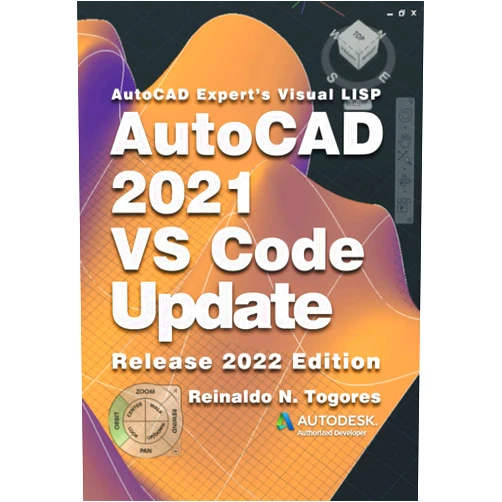
Reinaldo N. Togores AutoCAD 2021 VS Code Update: for AutoCAD Expert’s Visual LISP

Reinaldo N. Togores AutoCAD 2021 VS Code Update: for AutoCAD Expert’s Visual LISP

( 349 reviews ) See Reviews (1Outlets)

In stock *In Stock - Subject to stock availability at point of fulfilment. In the event whereby the item is out of stock or unable to provide the service, 1Outlets will cancel the order and issue a Full refund in-store credit to you. SKU : 2350bbb0f49d030ec312cd6db4939808

USD11.11
  • Buy 2 for USD10.80 each and save 3%
  • Buy 10 for USD10.27 each and save 8%
Qty:

**Free Shipping Worldwide available - Shipping time may vary depending on the address.

**Circumstances Reroute - This is a time of great stress and uncertainty. We are actively validating, routing and re-routing orders with our overseas merchants, logistic partners and airlines. Deliveries and supply may expect delays.

**In Stock (Low Inventory Warning) - Subject to stock availability at point of fulfilment. In the event whereby the item is out of stock or unable to provide the service, 1Outlets will cancel the order and issue a Full refund in-store credit to you (See Refunds).

**Report or Request Removal  - Any copyrighted, DMCA, inappropriate, offensive, prohibited, potentially Illegal Listings (Submit doc here).

Details

Unlock AutoCAD Mastery with Togores' Code!

The Reinaldo N. Togores AutoCAD 2021 VS Code Update: for AutoCAD Expert’s Visual LISP course revolutionizes your AutoCAD experience! Dive deep into the world of Visual LISP, transforming your drafting skills. This course equips you with the knowledge to craft intricate AutoCAD solutions, automating tasks and boosting your creative flow. Become a coding wizard and command your AutoCAD designs with power.

Main Features

  • Integrated VS Code Environment: Learn how to seamlessly integrate VS Code with your AutoCAD workflow. This feature guides you through the process of setting up and using VS Code within AutoCAD, creating a smooth transition.
  • Visual LISP Coding Mastery: Explore the depths of Visual LISP, understanding its syntax and capabilities. The course helps you master the fundamentals of coding in Visual LISP, allowing you to write complex programs that extend AutoCAD’s functions.
  • Practical Example Projects: Work through hands-on projects designed to solidify your understanding. Engage with real-world scenarios, build and refine code using the course, boosting your confidence.
  • Debugging Techniques: Gain essential skills in debugging your code, finding and fixing errors in your Visual LISP programs. Learn how to efficiently identify errors in your code, so you can solve problems like a pro!
  • Advanced Automation Strategies: Discover how to automate repetitive tasks within AutoCAD, making your work efficient. Master strategies for automating your everyday design tasks, so you can work smarter and enjoy the process.

Benefits

  • Boost Productivity: Complete your projects in record time and minimize wasted efforts. Increase your output by automating repetitive tasks, allowing you to make more progress.
  • Enhance Creativity: Experiment and discover infinite creative possibilities within AutoCAD. Explore the limits of AutoCAD, enabling you to try out different ideas, pushing the boundaries of your work.
  • Elevate Design Quality: Create intricate, precise designs that are free of human error. Enhance the precision and quality of your work by using automation techniques to eliminate inconsistencies.
  • Gain Technical Expertise: Become a true expert in Visual LISP and AutoCAD automation. Gain proficiency in essential skills that will transform you into a highly sought-after professional.
  • Save Valuable Time: Free up precious time to focus on your design ideas. Save time by automating repetitive tasks, allowing you to invest your time on creating and exploring.

Unique Selling Points / Competitive Advantages

  • Expert-Led Instruction: Learn from the experience of a seasoned AutoCAD expert. Benefit from the insights and strategies of a true professional to boost your learning.
  • Comprehensive Content: Dive into a complete guide to Visual LISP programming within AutoCAD. Enjoy a curriculum covering all aspects, from basic concepts to advanced concepts for the best results.
  • Beginner-Friendly Approach: This product is structured for both novices and intermediate users, with a step-by-step approach. Progress at your own pace and enjoy clear and easy-to-follow lessons.
  • Up-to-Date for AutoCAD 2021: Benefit from a course that's meticulously adapted for the current AutoCAD version. Benefit from the course that caters specifically to your version of AutoCAD, providing the latest tools.
  • Transforms Your Workflow: Turn tedious tasks into quick procedures. Transform the way you work, making your daily operations more manageable.

Usage Scenarios

  • Architectural Design: Use automation to create detailed architectural plans and construction documentation. Easily automate drafting tasks, like generating floor plans and elevations, saving time and improving precision.
  • Engineering Projects: Automate repetitive tasks and calculations in your engineering projects. Develop automated routines for generating complex geometry.
  • Mechanical Drafting: Automate intricate mechanical drawings, saving valuable time. Generate detailed mechanical drawings, streamline the creation of components, and enhance your work.
  • Interior Design: Automate tasks like space planning and materials schedules. Automate the tasks, generating layouts and visualising different design options.
  • Manufacturing: Automate tasks such as creating and modifying parts for manufacture. Automate repetitive tasks, ensuring speed and precision throughout your manufacturing process.

Customer Reviews / Testimonials

  • Maria Sanchez, Spain, 2022: "This course transformed my drafting process! I could automate many tasks. I highly recommend it!"
  • Kenji Tanaka, Japan, 2023: "A great course. I improved my coding skills in Visual LISP significantly. Very useful to my day-to-day work!"
  • David Lee, Canada, 2023: "I have been using AutoCAD for years, but I have never coded. This course showed me how easy it is! Very nice."
  • Isabella Rossi, Italy, 2022: "The clear explanations made Visual LISP accessible. A must-have for AutoCAD users!"
  • Ahmed Khan, UAE, 2024: "I am amazed by the efficiency this course brings. I now can automate my workflow."

Frequently Asked Questions

  • Q: What software do I need to run this course? A: You will need AutoCAD 2021 (or a later version) and a VS Code installation.
  • Q: Is this course suitable for beginners? A: Yes! The course is designed for both beginners and experienced AutoCAD users.
  • Q: How long does it take to complete the course? A: The duration depends on your pace, but the course is designed for your learning.
  • Q: What if I get stuck? A: The course includes examples that help, providing insights to the techniques.
  • Q: Can I use the code learned in all versions of AutoCAD? A: The core Visual LISP principles are cross-compatible, while the course focuses on AutoCAD 2021.

BUY NOW

Embrace the power of Visual LISP and transform your AutoCAD experience! Togores' Code helps you elevate your expertise, boost productivity, and unleash your creative potential. Become an AutoCAD coding master today with Togores' Code!

(Beta: User Generated 2024.0007)
Specification
Category: Books > Computers & Technology > Graphics & Design > CAD > AutoCAD
Weight: 0.20978647094kgs
Language: English
ISBN-13: 979-8728563273
Terms & Warning