+
.com
USD
  • Account
  • Sign Up
  • Sign In
You have no items in your shopping cart.
ABOUT 1OUTLETS
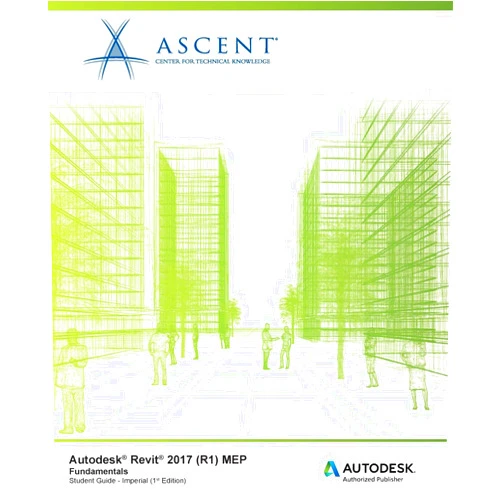
Home Shopping Other Autodesk Revit 2017 (R1) MEP Fundamentals - Imperial: Autodesk Authorized Publisher
By Ascent - Center for Technical Knowledge (Author) Autodesk Revit 2017 (R1) MEP Fundamentals - Imperial: Autodesk Authorized Publisher

By Ascent - Center for Technical Knowledge (Author) Autodesk Revit 2017 (R1) MEP Fundamentals - Imperial: Autodesk Authorized Publisher

( 218 reviews ) See Reviews (1Outlets)

In stock *In Stock - Subject to stock availability at point of fulfilment. In the event whereby the item is out of stock or unable to provide the service, 1Outlets will cancel the order and issue a Full refund in-store credit to you. SKU : c15d91bf6470c273fbec9117bcbeb27a

USD53.28
  • Buy 2 for USD52.68 each and save 1%
  • Buy 10 for USD52.38 each and save 2%
Qty:

**Free Shipping Worldwide available - Shipping time may vary depending on the address.

**Circumstances Reroute - This is a time of great stress and uncertainty. We are actively validating, routing and re-routing orders with our overseas merchants, logistic partners and airlines. Deliveries and supply may expect delays.

**In Stock (Low Inventory Warning) - Subject to stock availability at point of fulfilment. In the event whereby the item is out of stock or unable to provide the service, 1Outlets will cancel the order and issue a Full refund in-store credit to you (See Refunds).

**Report or Request Removal  - Any copyrighted, DMCA, inappropriate, offensive, prohibited, potentially Illegal Listings (Submit doc here).

Details

Ascend with Ascent!

Autodesk Revit 2017 (R1) MEP Fundamentals - Imperial by Ascent, an Autodesk Authorized Publisher, is your gateway to mastering the world of Mechanical, Electrical, and Plumbing (MEP) design. Immerse yourself in a hands-on learning experience that equips you with the skills to conceptualize, model, and document MEP systems with precision. This comprehensive guide transforms complex concepts into understandable steps, building your confidence as you navigate the intricacies of Revit MEP. Transform your designs from ideas to stunning realities.

Main Features

  • Comprehensive Coverage: Discover everything from fundamental concepts to advanced techniques in Revit MEP, ensuring a complete understanding.

    • This feature gives you a full grasp of the software's capabilities, from initial setup to intricate modeling, suitable for both beginners and those with some experience.
  • Step-by-Step Instructions: Follow clear, sequential instructions that break down complex processes into manageable steps.

    • Learn through a process which empowers learners with guidance in understanding the software, making it simpler to grasp.
  • Hands-on Exercises: Practice your skills with engaging exercises that solidify your knowledge and build your confidence.

    • Get practical experience in a structured way, offering valuable practice to ensure that the content is grasped in a meaningful way.
  • Real-World Examples: Apply your new abilities using practical examples that mirror the challenges faced in professional projects.

    • Benefit from how these examples enable a transfer of what's learned in class to apply to daily tasks.
  • Autodesk Approved: Learn from an authorized Autodesk publisher, ensuring accuracy and alignment with industry standards.

    • Benefit from trustworthy learning materials to meet all the essential requirements for gaining a good knowledge of the Revit system.

Benefits

  • Boost your Career: Improve your skills and expand your design possibilities using Revit MEP.

    • Gain the abilities to improve your career and enhance career paths within the realm of MEP design.
  • Increased Efficiency: Streamline your workflow and reduce design time through the power of Revit.

    • Become a highly efficient designer, enabling you to work smarter and quicker, leading to increased productivity.
  • Enhanced Accuracy: Minimize errors and improve the precision of your MEP designs.

    • Experience the peace of mind knowing your work is precise, minimizing errors and improving the quality of final designs.
  • Improved Collaboration: Share your models seamlessly with other professionals in the design process.

    • Get a clear and streamlined flow with other design professionals, enabling smooth teamwork and the success of the project.
  • Elevate Design Quality: Produce stunning, detailed MEP models that are the best of your work.

    • Build visually attractive, accurate designs that will stand out, boosting overall project quality and your design reputation.

Unique Selling Points / Competitive Advantages

  • Structured Learning Path: A carefully structured, easy-to-follow guide for learning Revit MEP for both beginner and experienced learners.

    • Take the stress out of your training with the structure offered, breaking down learning into small sections.
  • Practical Focus: Concentrate on the practical skills that matter in the real world of MEP design.

    • Get practical, useable skills that you can use daily.
  • Official Autodesk Content: Assurance that you’re learning with authoritative and up-to-date information.

    • Gain confidence knowing that the content is trustworthy and aligns with the most current industry standards.
  • Hands-on Exercises: Become familiar with the software and improve skills through constant exercises.

    • Practice and become fluent at your own pace through exercises.
  • Designed for Success: Develop a deep understanding of Revit MEP and create exceptional results.

    • Learn more with an experience tailored to equip you for success.

Usage Scenarios

  • Aspiring MEP Designers: Perfect for individuals looking to begin a career in Mechanical, Electrical, and Plumbing design.

    • Begin your journey and gain the knowledge required for a successful design career.
  • Architecture Students: Enhance your architectural studies by integrating MEP systems into your designs.

    • Boost your skills by learning about the connection between architecture and the intricate design of MEP.
  • Engineering Professionals: Refine your skills and improve your design workflow with Revit MEP.

    • Bring your abilities to the next level and increase productivity in your projects.
  • Construction Managers: Gain a better understanding of MEP systems for construction projects.

    • Gain a clear understanding of the MEP system, allowing for the smooth management of construction projects.
  • Anyone seeking knowledge: Those who want to learn design with Revit MEP.

    • Open up learning for everyone, empowering a generation of designers.

Customer Reviews / Testimonials

  • "This book was instrumental in getting me up to speed with Revit MEP. The step-by-step instructions and practical examples are fantastic! Highly recommended for anyone starting out!" - Sarah, United Kingdom, 2022
  • "As a seasoned architect, I wanted to improve my MEP knowledge. This book is a game-changer! The structure is ideal, and the exercises helped me grasp complex concepts quickly." - Kenji, Japan, 2021
  • "I always struggled with MEP systems, but this guide made everything clear. My designs have improved dramatically!" - Maria, Spain, 2023
  • “This product is an excellent learning resource for those starting in Revit MEP. The hands-on examples enabled me to create models that are of a higher standard in less time, while the concepts are easy to grasp.” - David, Canada, 2022
  • "Easy-to-follow guide to start your MEP journey, helping you learn about the basics and build a great foundation for Revit MEP knowledge. Everything is explained clearly and concisely!" - Ahmed, Egypt, 2023

Frequently Asked Questions

  • Q: Is this book suitable for beginners?

    • A: Yes! This guide is designed for both beginners and experienced users. The step-by-step approach makes it easy to follow, even if you have no prior experience with Revit MEP.
  • Q: Does this book cover all aspects of MEP design?

    • A: This book will give you a fundamental understanding of MEP design using Revit. It covers all the essential topics and tools needed to create and document MEP systems.
  • Q: What is the difference between this book and other Revit books?

    • A: This book focuses specifically on Revit MEP Fundamentals. The real-world examples and hands-on exercises focus on practical skills you can use immediately.
  • Q: Do I need any prior knowledge of AutoCAD or other design software?

    • A: No, while some familiarity with design concepts is helpful, this book requires no prior experience with Revit or other design software. The basics are explained.
  • Q: Can I use this book with different versions of Revit?

    • A: This book is specifically designed for Revit 2017 (R1) MEP Fundamentals. While many of the principles remain consistent across versions, interface and functionality differences could cause certain instructions to vary.

BUY NOW

Unlock your potential and revolutionize your design process! Invest in Ascent and sculpt your future. Be among the first to experience the power of precise, innovative design.

(Beta: User Generated 2024.0007)
Specification
Terms & Warning