The Future of Work, Now!
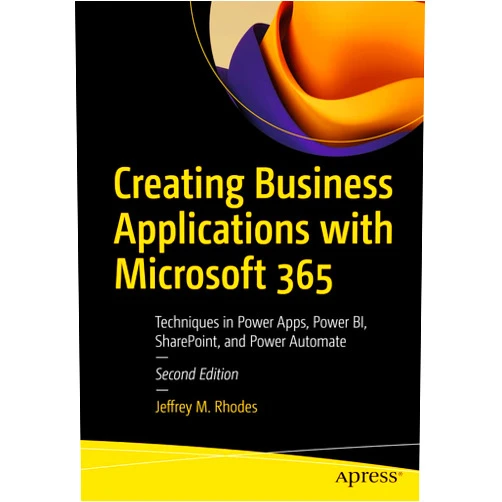
Creating Business Applications with Microsoft 365: Techniques in Power Apps, Power BI, SharePoint, and Power Automate, will guide you to transform your ideas into reality. This empowering product empowers you to build business applications, streamline workflows, and visualize data, all within the familiar Microsoft 365 environment. Discover the power to create, manage, and share information with ease using Power Apps, Power BI, SharePoint, and Power Automate, changing how you and your team work forever!
Main Features
- Dive Deep into Power Apps: Explore the intuitive interface, learn how to construct custom applications, and understand data sources to create personalized solutions.
- Learn how to design interactive interfaces that meet your needs.
- Master Power BI for Data Visualization: Unlock the secrets of turning raw data into compelling visualizations. Craft engaging dashboards and reports that help you analyze and understand your business.
- Build visually appealing reports that present your data.
- Harness the Power of SharePoint: Discover how to create and manage dynamic, collaborative SharePoint sites for information sharing, team communication, and project management.
- Establish organized online workspaces for collaboration.
- Automate with Power Automate: Learn how to create efficient automated workflows to save time, reduce errors, and streamline your business processes.
- Create workflows to help complete everyday tasks.
- Integrate and Innovate: Master how to connect and integrate all the Microsoft 365 tools, making your work faster, smarter, and more unified.
- Connect apps like never before.
Benefits
- Become a Citizen Developer: Empower yourself with the skills to build your own business applications, changing your ideas into functioning solutions.
- Design and create applications to meet the needs of your business.
- Boost Productivity: Automate tasks, streamline workflows, and eliminate repetitive work, giving you more time to think.
- Save time by automating repetitive tasks.
- Enhanced Data Insights: Make smarter decisions with clear, understandable data presented in Power BI.
- Find the insights you need to make great decisions.
- Improved Collaboration: Share information, work together easily, and keep projects on track with SharePoint.
- Easily manage projects and share information with the team.
- Save Time and Money: Eliminate redundant processes and improve efficiency, optimizing operations and saving valuable resources.
- Increase your team's efficiency, and save your business time and money.
Unique Selling Points / Competitive Advantages
- Hands-on Approach: Learn through practical examples and step-by-step instructions.
- Practice by creating many hands-on projects, giving you the experience you need.
- Comprehensive Coverage: Cover all key tools within Microsoft 365, like Power Apps, Power BI, SharePoint, and Power Automate.
- A complete guide for your journey through the Microsoft world.
- Real-World Scenarios: Learn by working through practical examples, that reflect real-world applications.
- See how the applications work in the real world.
- Simplified Language: Presented with clear and straightforward language for easy understanding.
- Complex information presented in a way that is easy to understand.
- Beginner-Friendly: Designed for all skill levels, from beginners to seasoned professionals.
- No matter your level of experience, you can learn and grow.
Usage Scenarios
- Create Customer Relationship Management (CRM) Systems: Design a custom CRM application using Power Apps to track and manage customer interactions.
- Track and manage your customer relationships.
- Develop Project Management Dashboards: Visualize project progress, track tasks, and identify potential roadblocks in Power BI.
- Manage and track your projects with visual dashboards.
- Build Automated Expense Reporting Systems: Automate expense reporting by creating workflows with Power Automate and integrating with Power Apps.
- Make expense reports quick and easy with automation.
- Develop a Company Intranet: Build a central hub for company information, communication, and document management using SharePoint.
- Create a company hub for employees to use.
- Analyze Sales Data: Use Power BI to analyze sales figures, track trends, and identify opportunities for growth.
- Analyze your sales data to make informed decisions.
Customer Reviews / Testimonials
- Sophia, United Kingdom, 2023: "I had zero experience with building applications, but this book made it so easy! I now manage my team's projects."
- Carlos, Mexico, 2023: "The step-by-step instructions in the book were great. I am so glad I bought it!"
- Maria, Germany, 2024: "I love the Power BI tutorials. This book changed how I analyze data, and it is a fun product!"
- David, Australia, 2024: "I had been looking for a guide on Power Automate, this product has everything I needed. Highly recommend!"
- Lin, China, 2024: "The language is so easy to understand, and I am learning a lot! A great resource!"
Frequently Asked Questions
- Is this product suitable for beginners? Absolutely! The product is designed with a beginner-friendly approach, starting with the basics and gradually moving to more advanced concepts.
- Do I need any prior coding knowledge? No, you do not need coding knowledge. The product focuses on the user-friendly features of Microsoft 365.
- What tools are covered in this product? This product covers Power Apps, Power BI, SharePoint, and Power Automate, all of which are essential components of the Microsoft 365 ecosystem.
- Can I use the skills learned in the product in my current job? Yes, the skills learned are immediately applicable to various business environments, streamlining workflows, and improving decision-making.
- How long will it take to see results? The pace of learning varies, but with consistent practice, you'll see results quickly. You will see results with in weeks, creating your own business applications.
BUY NOW
Supercharge your career, and transform your work life with Creating Business Applications with Microsoft 365! Buy today and ignite your potential to craft impressive applications using Power Apps, Power BI, SharePoint, and Power Automate!
(Beta: User Generated 2024.0007)