+
.com
USD
  • Account
  • Sign Up
  • Sign In
You have no items in your shopping cart.
ABOUT 1OUTLETS
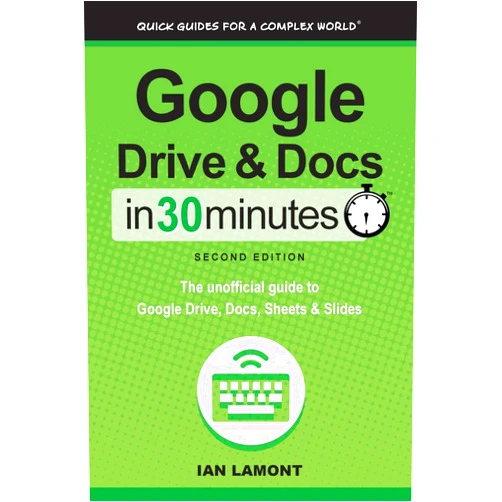
Home Shopping Other Google Drive & Docs in 30 Minutes (2nd Edition): The unofficial guide to the new Google Drive, Docs, Sheets & Slides
By Ian Lamont (Author) Google Drive & Docs in 30 Minutes (2nd Edition): The unofficial guide to the new Google Drive, Docs, Sheets & Slides

By Ian Lamont (Author) Google Drive & Docs in 30 Minutes (2nd Edition): The unofficial guide to the new Google Drive, Docs, Sheets & Slides

( 440 reviews ) See Reviews (1Outlets)

In stock *In Stock - Subject to stock availability at point of fulfilment. In the event whereby the item is out of stock or unable to provide the service, 1Outlets will cancel the order and issue a Full refund in-store credit to you. SKU : f4c2700161513363aa5b166ee9e14947

USD9.12
  • Buy 2 for USD8.81 each and save 3%
  • Buy 10 for USD8.22 each and save 11%
Qty:

**Free Shipping Worldwide available - Shipping time may vary depending on the address.

**Circumstances Reroute - This is a time of great stress and uncertainty. We are actively validating, routing and re-routing orders with our overseas merchants, logistic partners and airlines. Deliveries and supply may expect delays.

**In Stock (Low Inventory Warning) - Subject to stock availability at point of fulfilment. In the event whereby the item is out of stock or unable to provide the service, 1Outlets will cancel the order and issue a Full refund in-store credit to you (See Refunds).

**Report or Request Removal  - Any copyrighted, DMCA, inappropriate, offensive, prohibited, potentially Illegal Listings (Submit doc here).

Details

Conquer Google Workspace in a Flash!

Master Google Drive, Docs, Sheets, and Slides with Google Drive & Docs in 30 Minutes (2nd Edition): The unofficial guide to the new Google Drive, Docs, Sheets & Slides. This easy-to-follow guide makes learning Google Workspace a breeze, transforming tech novices into confident digital wizards in record time. It's packed with practical tips and tricks to help you efficiently navigate these powerful tools.

Main Features

  • Step-by-step instructions: Clear, concise, and easy to understand steps guide you through every task.
  • Visual learning: The book employs engaging visuals to aid understanding.
  • Real-world examples: Practical applications illustrate how to use each feature effectively in daily life.
  • Time-saving techniques: Learn shortcuts and tricks to boost productivity.
  • Updated for the latest version: Ensures you have access to the most current features and functionalities.

Benefits

  • Improved productivity: Work faster and more efficiently with Google Workspace.
  • Enhanced collaboration: Seamlessly share and edit documents with others.
  • Increased digital literacy: Build confidence and competence in using essential digital tools.
  • Time-saving strategies: Focus on tasks that matter most by streamlining workflows.
  • Simplified learning process: Quickly grasp core concepts and advance your skills.

Unique Selling Points / Competitive Advantages

  • Concise and focused: Learn essential features quickly without unnecessary detail.
  • Beginner-friendly language: Written in plain language, perfect for all skill levels.
  • Practical and action-oriented: Focuses on immediately applicable skills and techniques.
  • Up-to-date information: Covers the latest versions of Google Workspace.
  • Unofficial guide with expert insight: Provides valuable tips and tricks beyond the official documentation.

Usage Scenarios

  • Students: Ace assignments and projects by mastering Google Workspace.
  • Professionals: Boost productivity and streamline collaborative efforts.
  • Teachers: Create engaging learning materials and organize educational resources.
  • Parents: Help children develop essential digital skills.
  • Individuals: Enhance personal organization and digital capabilities.

Customer Reviews / Testimonials

  • “This book transformed my understanding of Google Docs! It's incredibly clear and easy to follow.” - Maria S., Spain, 2023
  • "I finally feel confident using Google Slides thanks to this amazing guide!" - John B., Canada, 2024
  • "The tips and tricks in this book are pure gold! My productivity has increased dramatically." - Aisha K., Nigeria, 2023
  • "A lifesaver for beginners like me. Highly recommend!" - David L., Australia, 2024
  • "I love how this book breaks down complex functions into simple, easy steps." - Elena R., Italy, 2023

Frequently Asked Questions

  • Q: Is this book suitable for complete beginners?
    • A: Absolutely! The book is designed for all skill levels, starting from the very basics.
  • Q: Does the book cover all features of Google Workspace?
    • A: No, it focuses on the core features most commonly used.
  • Q: How long does it take to read the entire book?
    • A: The pacing is designed for a quick learning experience, the time varies based on individual learning speed.
  • Q: Is this book compatible with all devices?
    • A: Yes, the skills learned apply across all devices accessing Google Workspace.
  • Q: Are there exercises or practice activities included?
    • A: The book emphasizes practical application through real-world examples and actionable steps, providing ample opportunity for practical application.

BUY NOW

Transform your digital skills and conquer Google Drive & Docs in 30 Minutes today! Unlock a world of efficient productivity and seamless collaboration with this indispensable guide to Google Workspace—your shortcut to digital mastery!

(Beta: User Generated 2024.0007)
Specification
Category: Other
Weight: 0.17293209090999997kgs
Language: English
ISBN-13: 978-1939924315
Terms & Warning