+
.com
USD
  • Account
  • Sign Up
  • Sign In
You have no items in your shopping cart.
ABOUT 1OUTLETS
Home Shopping Books Computers & Technology Hardware & DIY iPad Seniors Guide: A Complete Step-by-Step Manual for Non-Tech-Savvy to Master Your iPad in No Time A Complete Step-by-Step Manual for Non-Tech-Savvy to Master Your iPad in No Time
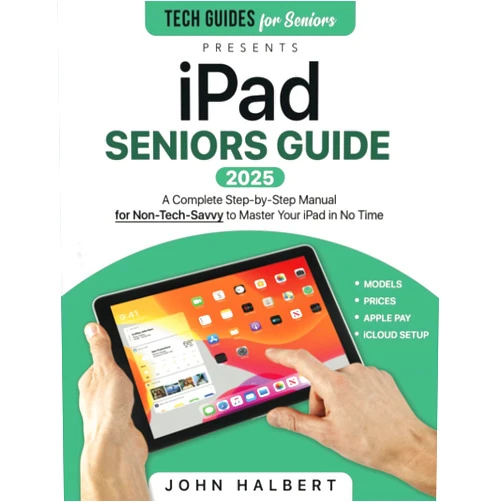
John Halbert iPad Seniors Guide: A Complete Step-by-Step Manual for Non-Tech-Savvy to Master Your iPad in No Time A Complete Step-by-Step Manual for Non-Tech-Savvy to Master Your iPad in No Time

John Halbert iPad Seniors Guide: A Complete Step-by-Step Manual for Non-Tech-Savvy to Master Your iPad in No Time A Complete Step-by-Step Manual for Non-Tech-Savvy to Master Your iPad in No Time

Author

John Halbert

( 420 reviews ) See Reviews (1Outlets)

In stock *In Stock - Subject to stock availability at point of fulfilment. In the event whereby the item is out of stock or unable to provide the service, 1Outlets will cancel the order and issue a Full refund in-store credit to you. SKU : 09fac60d6c6fea7414799784a3ada325

USD12.16
  • Buy 2 for USD11.85 each and save 3%
  • Buy 10 for USD11.37 each and save 7%
Qty:

**Free Shipping Worldwide available - Shipping time may vary depending on the address.

**Circumstances Reroute - This is a time of great stress and uncertainty. We are actively validating, routing and re-routing orders with our overseas merchants, logistic partners and airlines. Deliveries and supply may expect delays.

**In Stock (Low Inventory Warning) - Subject to stock availability at point of fulfilment. In the event whereby the item is out of stock or unable to provide the service, 1Outlets will cancel the order and issue a Full refund in-store credit to you (See Refunds).

**Report or Request Removal  - Any copyrighted, DMCA, inappropriate, offensive, prohibited, potentially Illegal Listings (Submit doc here).

Details

Conquer Your iPad with John Halbert's Senior Guide!

John Halbert's iPad Seniors Guide: A Complete Step-by-Step Manual for Non-Tech-Savvy to Master Your iPad in No Time is your friendly, easy-to-follow companion to navigating the world of iPads. This complete guide provides clear, simple instructions perfect for anyone new to technology, turning tech intimidation into tech triumph. With step-by-step tutorials and helpful illustrations, John Halbert's iPad Seniors Guide makes learning fun and rewarding.

Main Features

  • Crystal-clear instructions: Each step is explained in plain English, avoiding jargon.
  • Step-by-step visuals: Pictures and diagrams accompany every lesson for easy understanding.
  • Comprehensive coverage: The guide covers all essential iPad features and functions.
  • Beginner-friendly design: The book's layout and language are tailored for ease of use.
  • Practical exercises: Real-world examples and hands-on activities reinforce learning.

Benefits

  • Increased confidence: Gain the skills to use your iPad with ease and independence.
  • Enhanced connection: Stay connected with family and friends through video calls and messaging.
  • Improved communication: Master email, social media, and other communication tools.
  • Greater independence: Manage your schedule, appointments, and finances more efficiently.
  • Newfound fun: Discover the joy of exploring apps, games, and online content.

Unique Selling Points / Competitive Advantages

  • Simple, straightforward language: The guide avoids technical terms and complicated explanations.
  • Visual learning approach: The abundance of images and illustrations aid understanding.
  • Focus on practical application: The book emphasizes real-world usage scenarios.
  • Comprehensive yet concise: The guide covers all essential aspects without overwhelming the reader.
  • Positive, encouraging tone: The writing style builds confidence and encourages learning.

Usage Scenarios

  • Connecting with loved ones: Video calls, messaging, and photo sharing made easy.
  • Staying organized: Managing calendars, reminders, and to-do lists.
  • Accessing information: Searching the internet, reading e-books, and watching videos.
  • Enjoying entertainment: Playing games, listening to music, and watching movies.
  • Managing finances: Banking online and tracking expenses.

Customer Reviews / Testimonials

  • "This book made learning my iPad so much easier!" - Maria S., Spain (2023)
  • "Finally, a guide I could understand! Highly recommended." - Robert B., Canada (2022)
  • "Clear, concise, and very user-friendly. I love it!" - Akiko T., Japan (2024)
  • "A lifesaver for senior citizens like myself." - David L., USA (2023)
  • "I can now confidently use my iPad thanks to this amazing guide." - Elena R., Italy (2022)

Frequently Asked Questions (with answers)

  • Q: Is this guide suitable for absolute beginners? A: Yes, it's designed for people with no prior experience with iPads or technology.
  • Q: What type of iPad does this guide cover? A: The guide covers the most common iPad models and functions.
  • Q: Are the instructions difficult to follow? A: No, the instructions are simple, clear, and easy to understand.
  • Q: How long will it take to learn everything in this guide? A: This will depend on your learning pace and how much time you can dedicate.
  • Q: Is technical support provided? A: While direct support is not provided, the clear and concise writing style makes it easy to learn independently.

BUY NOW

Take control of your digital life today with John Halbert's simple, friendly iPad Seniors Guide. Master your iPad with ease and confidence. Unlock a world of connection, entertainment, and independence! Learn and grow with this step-by-step manual, designed for seniors like you! Embrace the joy of technology.

(Beta: User Generated 2024.0007)
Specification
Category: Books > Computers & Technology > Hardware & DIY
Author:

John Halbert

Weight: 0.25798066021kgs
Language: English
ISBN-13: 978-1801717526
Terms & Warning