+
.com
USD
  • Account
  • Sign Up
  • Sign In
You have no items in your shopping cart.
ABOUT 1OUTLETS
Home Shopping Books Computers & Technology Programming Languages iPad Seniors Guide: The Ultimate User-Friendly Guide for Maximizing your iPad Potential with Clear Illustrations and Simple Instructions (Tech Made Easy for Seniors)
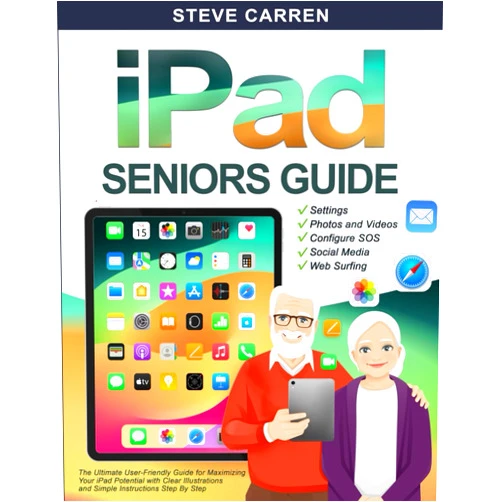
Steve Carren iPad Seniors Guide: The Ultimate User-Friendly Guide for Maximizing your iPad Potential with Clear Illustrations and Simple Instructions (Tech Made Easy for Seniors)

Steve Carren iPad Seniors Guide: The Ultimate User-Friendly Guide for Maximizing your iPad Potential with Clear Illustrations and Simple Instructions (Tech Made Easy for Seniors)

Author

Steve Carren

( 460 reviews ) See Reviews (1Outlets)

In stock *In Stock - Subject to stock availability at point of fulfilment. In the event whereby the item is out of stock or unable to provide the service, 1Outlets will cancel the order and issue a Full refund in-store credit to you. SKU : 999a5d368910d0bafe82bc559096fbdc

USD12.12
  • Buy 2 for USD11.52 each and save 5%
  • Buy 10 for USD10.99 each and save 10%
Qty:

**Free Shipping Worldwide available - Shipping time may vary depending on the address.

**Circumstances Reroute - This is a time of great stress and uncertainty. We are actively validating, routing and re-routing orders with our overseas merchants, logistic partners and airlines. Deliveries and supply may expect delays.

**In Stock (Low Inventory Warning) - Subject to stock availability at point of fulfilment. In the event whereby the item is out of stock or unable to provide the service, 1Outlets will cancel the order and issue a Full refund in-store credit to you (See Refunds).

**Report or Request Removal  - Any copyrighted, DMCA, inappropriate, offensive, prohibited, potentially Illegal Listings (Submit doc here).

Details

Conquer Your iPad with Steve Carren's Guide!

Steve Carren's iPad Seniors Guide: The Ultimate User-Friendly Guide for Maximizing your iPad Potential with Clear Illustrations and Simple Instructions (Tech Made Easy for Seniors) is your passport to a world of digital discovery. This expertly crafted guide uses clear, simple language and helpful illustrations to demystify the iPad, empowering seniors to confidently explore its amazing features and connect with loved ones. Learn at your own pace and discover the joy of using technology without frustration. This comprehensive iPad guide for seniors provides step-by-step instructions for everything from basic navigation to advanced features, making technology accessible and enjoyable for everyone.

Main Features

  • Crystal-clear instructions: Easy-to-follow steps, perfect for beginners.
  • Simple language: Avoids technical jargon for effortless understanding.
  • Helpful illustrations: Visually guides users through each process.
  • Comprehensive coverage: Covers all essential iPad functions and features.
  • User-friendly design: Makes learning fun and stress-free.

Benefits

  • Increased confidence: Builds self-assurance in using technology.
  • Enhanced connectivity: Connects seniors with family and friends.
  • Greater independence: Empowers seniors to manage their digital lives.
  • Improved digital literacy: Develops essential technology skills.
  • Enjoyable learning experience: Transforms technology learning into a positive experience.

Unique Selling Points / Competitive Advantages

  • Specifically designed for seniors: Addresses the unique needs and learning styles of older adults.
  • Focus on simplicity: Prioritizes ease of use and understanding above all else.
  • Visually rich content: Uses illustrations to enhance comprehension.
  • Step-by-step approach: Breaks down complex tasks into manageable steps.
  • Positive and encouraging tone: Creates a supportive and motivating learning environment.

Usage Scenarios

  • Connecting with family and friends: Learn to video call, send messages, and share photos.
  • Accessing information: Learn to browse the internet, read news, and use apps.
  • Managing photos and videos: Learn to organize and share digital memories.
  • Exploring entertainment: Learn to use streaming services, play games, and listen to music.
  • Staying organized: Learn to use calendar apps, reminders, and note-taking tools.

Customer Reviews / Testimonials

  • "This iPad guide for seniors is a lifesaver! I finally understand my iPad." - Margaret S., USA, 2023
  • "The clear illustrations are fantastic. I highly recommend this book to anyone who wants to learn how to use an iPad." - John B., Canada, 2022
  • "This book made learning so much easier. No more frustration!" - Maria L., UK, 2024
  • "A wonderful senior iPad guide. I feel so much more confident now." - David R., Australia, 2023
  • "Finally, an iPad tutorial that I can understand! Thank you!" - Susan P., Germany, 2022

Frequently Asked Questions (with answers)

  • Q: Is this guide suitable for complete beginners? A: Absolutely! It's designed for those with no prior experience.
  • Q: Does it cover all iPad models? A: Yes, it covers the essential functions found across most iPad models.
  • Q: How much time will it take to learn? A: You can learn at your own pace. Some chapters can be completed in minutes.
  • Q: What if I get stuck? A: The clear instructions and visuals make it easy to understand.
  • Q: Is this book only for the elderly? A: Anyone new to an iPad can benefit from this straightforward, visual iPad manual.

BUY NOW

Unlock the power of your iPad today! Master your device and embrace digital life with Steve Carren's iPad Seniors Guide. Experience the freedom and joy of connecting with the world, easily and confidently!

(Beta: User Generated 2024.0007)
Specification
Category: Books > Computers & Technology > Programming Languages
Author:

Steve Carren

Weight: 0.45359237kgs
Language: English
ISBN-13: 979-8300050405
Terms & Warning