+

In stock *In Stock - Subject to stock availability at point of fulfilment. In the event whereby the item is out of stock or unable to provide the service, 1Outlets will cancel the order and issue a Full refund in-store credit to you. SKU : fe18517ea2d10267c19abd36e6d60d5a
**Free Shipping Worldwide available - Shipping time may vary depending on the address.
**Circumstances Reroute - This is a time of great stress and uncertainty. We are actively validating, routing and re-routing orders with our overseas merchants, logistic partners and airlines. Deliveries and supply may expect delays.
**In Stock (Low Inventory Warning) - Subject to stock availability at point of fulfilment. In the event whereby the item is out of stock or unable to provide the service, 1Outlets will cancel the order and issue a Full refund in-store credit to you (See Refunds).
**Report or Request Removal - Any copyrighted, DMCA, inappropriate, offensive, prohibited, potentially Illegal Listings (Submit doc here).
Keulluma: Your Cloud Companion!
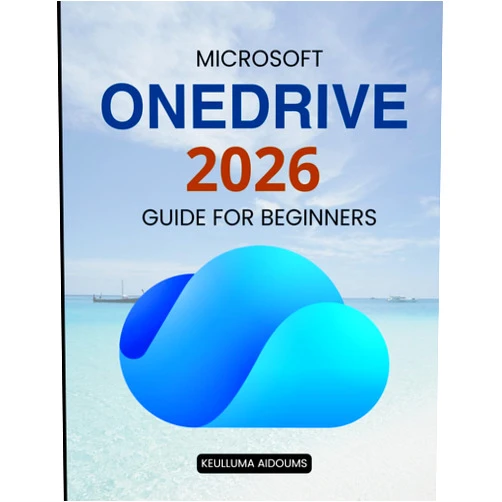
Keulluma Aidoums Microsoft OneDrive 2026 Guide for Beginners is your golden ticket to mastering the cloud. Dive into a world where your files dance across all your devices, protected by ironclad security. This guide unveils the magic of file sync, backup, and collaboration, designed for every age and skill level. Whether you're a curious newbie or a seasoned explorer, prepare to transform your digital life!
Main Features
Effortless File Sync: Seamlessly move your precious files between all your devices, no matter where you roam. The cloud becomes your instant, global storage.
Robust Security Measures: Fortify your digital fortress with Microsoft OneDrive's impenetrable safeguards. Your data is safe, protected, and private.
Automatic Backup Solutions: Don't stress about data loss! Your files are automatically backed up, ensuring you never face the heartbreak of lost memories.
Simplified Collaboration Tools: Share files and work together with others. Collaborate on projects with ease.
User-Friendly Interface: Navigate the OneDrive universe with a smile. Intuitive design helps everyone quickly learn the magic of the cloud.
Benefits
Access Your Files Anywhere: Freedom! Access your cherished memories and important documents from anywhere in the world.
Increased Productivity: Boost your efficiency by having your files instantly available across all devices.
Data Protection: Protect your files from loss due to device failure or theft, ensuring every single memory and important document is safe.
Simplified Collaboration: Communicate and cooperate with family, friends, and colleagues.
Save Storage Space: Free up precious space on your devices with cloud storage.
Unique Selling Points / Competitive Advantages
Beginner-Friendly Approach: Clear, concise language, perfect for young people and beginners, removing any intimidating jargon.
Comprehensive Coverage: Explores all aspects of OneDrive, from the basics to advanced techniques, becoming your complete reference for the cloud.
Future-Proof Content: Based on the 2026 version of OneDrive, giving you cutting-edge insights.
Visual Learning Aid: Guides accompanied by clear, visual aids to enhance the learning process.
Focus on Everyday Productivity: Tailored advice to streamline your daily tasks, integrating seamlessly into your life.
Usage Scenarios
School Projects: Effortlessly share documents, collaborate on presentations, and save schoolwork safely.
Family Photo & Video Storage: Preserve family memories for generations.
Travel Planning: Access your travel documents, itineraries, and reservations on the go.
Remote Work: Work securely from anywhere with instant access to all your files and documents.
Organizing Important Documents: Store and organize all your essential documents with ease.
Customer Reviews / Testimonials
Liam, United Kingdom, 2024: "This guide is amazing! I'm not very tech-savvy, but this book made OneDrive so easy to understand. I can now access all my files on every device. I'm so happy I found this!"
Sofia, Argentina, 2024: "I was always scared of losing my pictures. Now with this guide, I finally understand how to back them up securely with OneDrive. It's a lifesaver!"
David, Australia, 2024: "The collaboration features are amazing. We use OneDrive for all our group projects. This guide really helped us get started."
Aisha, Egypt, 2024: "So easy to use! My grandmother can now use OneDrive for her photos and it’s secure."
Kenzo, Japan, 2024: "I've tried many guides, but this is the best for beginners. Clear, concise, and super helpful. I'm now a OneDrive pro! I can access any file from anywhere in the world now."
Frequently Asked Questions
Q: Is my data safe with OneDrive?
Q: Can I access my files on any device?
Q: Is it difficult to learn?
Q: What happens if my device is lost or damaged?
Q: Can I share files with others?
BUY NOW
Unlock the power of the cloud and revolutionize your digital life! Grab your copy of Keulluma Aidoums Microsoft OneDrive 2026 Guide for Beginners today, and embrace a world of effortless file management with Microsoft OneDrive!
(Beta: User Generated 2024.0007)