+

In stock *In Stock - Subject to stock availability at point of fulfilment. In the event whereby the item is out of stock or unable to provide the service, 1Outlets will cancel the order and issue a Full refund in-store credit to you. SKU : 1c551fe5a50cc366bd7588452054ecff
**Free Shipping Worldwide available - Shipping time may vary depending on the address.
**Circumstances Reroute - This is a time of great stress and uncertainty. We are actively validating, routing and re-routing orders with our overseas merchants, logistic partners and airlines. Deliveries and supply may expect delays.
**In Stock (Low Inventory Warning) - Subject to stock availability at point of fulfilment. In the event whereby the item is out of stock or unable to provide the service, 1Outlets will cancel the order and issue a Full refund in-store credit to you (See Refunds).
**Report or Request Removal - Any copyrighted, DMCA, inappropriate, offensive, prohibited, potentially Illegal Listings (Submit doc here).
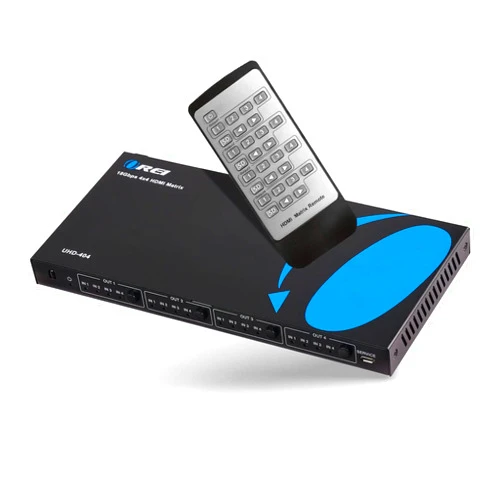
The OREI 4x4 HDMI 4K 2.0V Matrix Switch/splitter effortlessly manages your 4K video sources. This powerful device seamlessly switches between four HDMI inputs and distributes the signal to four displays, offering a crisp, clear viewing experience with stunning UltraHD 1080P and 4K x 2K resolution. Enjoy a streamlined setup and superior picture quality with its intuitive remote control.
Q: Does this switch support HDR? A: While specific HDR support isn't explicitly mentioned, its 4K capability suggests it likely supports many HDR formats, as 4K often includes HDR support. Check your specific device's manual for compatibility verification.
Q: What type of cables do I need? A: Standard high-speed HDMI cables are required. For optimal 4K performance, use cables rated for 4K resolution.
Q: Can I use this with different brands of devices? A: Yes, it's compatible with most HDMI-enabled devices.
Q: Is installation difficult? A: No, it's designed for easy setup. Connecting devices and using the remote are straightforward.
Q: How do I troubleshoot connectivity issues? A: Check that all cables are securely connected to the devices and the matrix switch, verify correct HDMI versions of all devices and make sure that all your HDMI devices are powered on.