+

In stock *In Stock - Subject to stock availability at point of fulfilment. In the event whereby the item is out of stock or unable to provide the service, 1Outlets will cancel the order and issue a Full refund in-store credit to you. SKU : 039c55486c453e3f36f267e856f59c26
**Free Shipping Worldwide available - Shipping time may vary depending on the address.
**Circumstances Reroute - This is a time of great stress and uncertainty. We are actively validating, routing and re-routing orders with our overseas merchants, logistic partners and airlines. Deliveries and supply may expect delays.
**In Stock (Low Inventory Warning) - Subject to stock availability at point of fulfilment. In the event whereby the item is out of stock or unable to provide the service, 1Outlets will cancel the order and issue a Full refund in-store credit to you (See Refunds).
**Report or Request Removal - Any copyrighted, DMCA, inappropriate, offensive, prohibited, potentially Illegal Listings (Submit doc here).
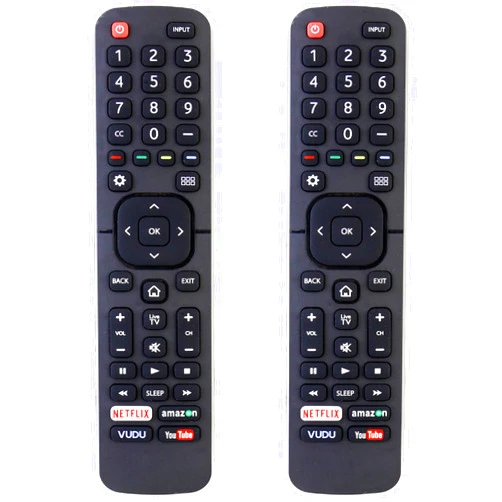
ECONTROLLY (Pack of 2) Universal TV Remote Control Replacement is your solution for effortless TV control. This handy pack of two universal remotes works seamlessly with all Sharp LCD LED TV models, giving you the power to navigate your favorite channels and settings with ease. Experience the simple joy of a perfectly functioning remote, ready to bring your entertainment to life. Its user-friendly design and intuitive controls make it the ideal replacement for lost or damaged remotes, restoring control and eliminating TV frustration. Enjoy effortless access to all your entertainment options!
Q: Does this remote work with all Sharp TVs? A: Yes, it's designed to be compatible with a wide range of Sharp LCD LED TV models.
Q: Is it easy to program? A: Yes, the programming process is simple and intuitive.
Q: How long does the battery last? A: The battery life will vary based on usage.
Q: What kind of batteries does it use? A: Please refer to the included instruction booklet for battery specifications.
Q: What do I do if it doesn't work with my TV? A: Please check your TV's manual for compatibility information or contact the manufacturer of your TV.