+
.com
USD
  • Account
  • Sign Up
  • Sign In
You have no items in your shopping cart.
ABOUT 1OUTLETS
Home Shopping Books Computers & Technology Graphics & Design QCAD for technical drawing: Free and open source alternative to AutoCAD (Imperial Units - Inches and Feet)
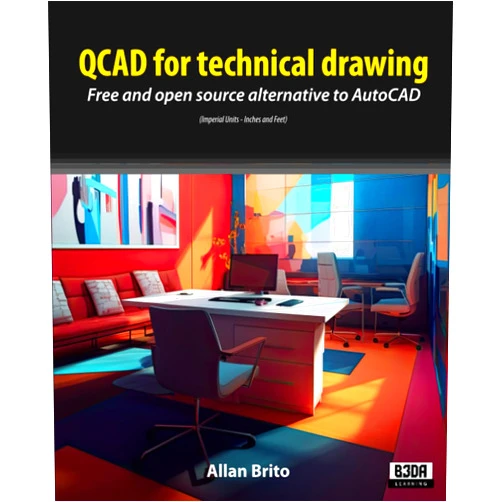
Allan Brito QCAD for technical drawing: Free and open source alternative to AutoCAD (Imperial Units - Inches and Feet)

Allan Brito QCAD for technical drawing: Free and open source alternative to AutoCAD (Imperial Units - Inches and Feet)

Author

Allan Brito

( 326 reviews ) See Reviews (1Outlets)

In stock *In Stock - Subject to stock availability at point of fulfilment. In the event whereby the item is out of stock or unable to provide the service, 1Outlets will cancel the order and issue a Full refund in-store credit to you. SKU : 27c1b1a32a37453d585e68d4cda2f917

USD21.85
  • Buy 2 for USD21.25 each and save 3%
  • Buy 10 for USD20.72 each and save 5%
Qty:

**Free Shipping Worldwide available - Shipping time may vary depending on the address.

**Circumstances Reroute - This is a time of great stress and uncertainty. We are actively validating, routing and re-routing orders with our overseas merchants, logistic partners and airlines. Deliveries and supply may expect delays.

**In Stock (Low Inventory Warning) - Subject to stock availability at point of fulfilment. In the event whereby the item is out of stock or unable to provide the service, 1Outlets will cancel the order and issue a Full refund in-store credit to you (See Refunds).

**Report or Request Removal  - Any copyrighted, DMCA, inappropriate, offensive, prohibited, potentially Illegal Listings (Submit doc here).

Details

Design Your Dreams with Allan Brito QCAD!

Allan Brito QCAD is a powerful yet friendly free and open-source CAD software perfect for young engineers and designers. This amazing program, specializing in Imperial units (inches and feet), offers a user-friendly interface that makes technical drawing easy and enjoyable, empowering you to build anything you imagine. Learn, create, and explore the exciting world of technical drawing with Allan Brito QCAD!

Main Features

  • Intuitive Interface: The software is designed for ease of use, making it accessible to beginners.
  • Imperial Unit Support: Specifically built for projects using inches and feet.
  • Open Source: The source code is available for anyone to examine and modify, promoting collaboration and improvement.
  • Wide Range of Tools: Includes all the essential tools for creating detailed technical drawings.
  • File Compatibility: Works with various common CAD file formats, allowing for seamless collaboration.

Benefits

  • Free Access: Eliminates the cost barrier to entry for aspiring designers and engineers.
  • Improved Learning: Easy-to-use interface accelerates the learning curve.
  • Enhanced Creativity: Provides the tools to bring imaginative projects to life.
  • Community Support: Access to a collaborative open-source community for assistance and knowledge sharing.
  • Open-source Flexibility: Users can contribute to its improvement and adapt it to specific needs.

Unique Selling Points / Competitive Advantages

  • Open-Source Model: Fosters community development and ongoing innovation.
  • Focus on Imperial Units: Caters specifically to users working in these units.
  • User-Friendly Design: Intuitive and accessible for all skill levels.
  • Lightweight and Fast: Runs smoothly even on less powerful computers.
  • Extensive Toolset: Provides comprehensive tools for varied technical drawing needs.

Usage Scenarios

  • School Projects: Ideal for students learning technical drawing and CAD software.
  • Hobby Projects: Perfect for personal projects, from building models to designing furniture.
  • Simple Engineering Designs: Suitable for straightforward engineering tasks.
  • Architectural Sketching: Creates basic architectural plans and designs.
  • Mechanical Drawing: Facilitates the creation of mechanical parts and assemblies.

Customer Reviews / Testimonials

  • "This software has been a game changer for my engineering studies!" - Maria Santos, Portugal (2023)
  • "I love how easy it is to use, even for someone like me who is new to CAD." - John Smith, USA (2024)
  • "A fantastic free alternative to expensive professional software." - Aisha Khan, India (2022)
  • "Great for my woodworking projects." - David Lee, Canada (2023)
  • "Perfect tool for designing my own video game assets." - Kazuo Tanaka, Japan (2024)

Frequently Asked Questions (with answers)

  • Q: Is Allan Brito QCAD difficult to learn?
    • A: No, its intuitive interface makes it easy to learn, even for beginners.
  • Q: Does Allan Brito QCAD support other unit systems besides Imperial?
    • A: While primarily focusing on Imperial, future versions may add support.
  • Q: Can I use Allan Brito QCAD for professional work?
    • A: It's suitable for many professional applications, depending on project complexity.
  • Q: Is the software safe to use?
    • A: As an open-source program, its code is transparent and publicly available for scrutiny.
  • Q: What kind of support is available for Allan Brito QCAD?
    • A: The active open-source community offers ample support through online forums and documentation.

BUY NOW

Experience the power and simplicity of Allan Brito QCAD, the perfect open-source CAD software for your technical drawing needs. Empower your creativity and start designing today with the ultimate free CAD solution!

(Beta: User Generated 2024.0007)
Specification
Category: Books > Computers & Technology > Graphics & Design
Author:

Allan Brito

Weight: 0.4581282937kgs
Language: English
ISBN-13: 979-8852080363
Terms & Warning