+
.com
USD
  • Account
  • Sign Up
  • Sign In
You have no items in your shopping cart.
ABOUT 1OUTLETS
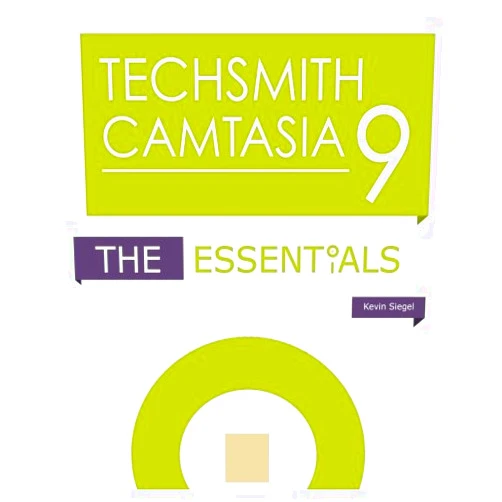
Home Shopping Other TechSmith Camtasia 9: The Essentials
By Kevin Siegel (Author) TechSmith Camtasia 9: The Essentials

By Kevin Siegel (Author) TechSmith Camtasia 9: The Essentials

( 370 reviews ) See Reviews (1Outlets)

In stock *In Stock - Subject to stock availability at point of fulfilment. In the event whereby the item is out of stock or unable to provide the service, 1Outlets will cancel the order and issue a Full refund in-store credit to you. SKU : 84b89edc57f226fb5155048d9b549b9d

USD15.78
  • Buy 2 for USD15.18 each and save 4%
  • Buy 10 for USD14.59 each and save 8%
Qty:

**Free Shipping Worldwide available - Shipping time may vary depending on the address.

**Circumstances Reroute - This is a time of great stress and uncertainty. We are actively validating, routing and re-routing orders with our overseas merchants, logistic partners and airlines. Deliveries and supply may expect delays.

**In Stock (Low Inventory Warning) - Subject to stock availability at point of fulfilment. In the event whereby the item is out of stock or unable to provide the service, 1Outlets will cancel the order and issue a Full refund in-store credit to you (See Refunds).

**Report or Request Removal  - Any copyrighted, DMCA, inappropriate, offensive, prohibited, potentially Illegal Listings (Submit doc here).

Details

Camtasia: Your Video Storyteller

TechSmith Camtasia 9: The Essentials is the key to transforming ordinary moments into captivating videos! Dive into a world where your ideas spring to life, filled with stunning visuals and engaging audio. Learn how to craft videos that grab attention and share your stories with impact.

Main Features

  • Intuitive Interface: Navigate with ease through a user-friendly design, perfect for beginners and pros alike. The layout is clean and simple, making it effortless to find the tools you need to create your video masterpiece.
  • Screen Recording: Capture your computer screen with crystal-clear precision, ideal for tutorials and presentations. Record any activity on your screen, from software demos to gameplay, ensuring every detail is perfectly captured.
  • Video Editing Tools: Refine your videos with professional-grade editing features, including cuts, transitions, and effects. Seamlessly blend clips, add eye-catching transitions, and sprinkle in special effects to bring your vision to life.
  • Audio Enhancement: Improve the clarity of your audio with noise reduction, volume adjustments, and more. Ensure your audio is pristine, eliminating background distractions and making your voice shine.
  • Multimedia Integration: Add images, music, and other media to enrich your videos, creating a complete sensory experience. Import and blend various media formats to enhance your video's allure and fully engage your audience.

Benefits

  • Boost Engagement: Captivate your audience and keep them hooked from start to finish. Create videos that grab attention, sustain interest, and leave a lasting impression on viewers.
  • Simplify Complex Concepts: Communicate difficult ideas with ease using visual aids and clear explanations. Break down intricate topics, making them accessible and understandable for everyone.
  • Enhance Learning: Create interactive and engaging tutorials that promote deeper understanding. Develop an effective learning environment, fostering comprehension and knowledge retention.
  • Improve Communication: Convey your message with clarity and impact, fostering effective communication. Present your ideas in a compelling format, ensuring your message resonates with your audience.
  • Save Time and Effort: Produce professional-quality videos quickly and efficiently. Streamline your workflow and achieve stunning results without spending countless hours.

Unique Selling Points / Competitive Advantages

  • User-Friendly Design: Camtasia 9 provides an easy-to-learn and navigate interface. The simple layout minimizes the learning curve, allowing creators of all experience levels to design efficiently.
  • Screen Recording Excellence: Captures flawless screen recordings that are unmatched in clarity and precision. Create impeccable recordings and keep every detail clear.
  • Versatile Editing Capabilities: A vast array of tools ensures that you can edit your videos to meet your creative requirements. Add, adapt, and refine your video's elements with editing capabilities, designed for a professional aesthetic.
  • Integrated Workflow: The unified workflow streamlines the entire video-creation process, offering convenience. From recording to editing and sharing, experience a smooth workflow that optimizes productivity.
  • Strong Support and Resources: Access to an abundance of support materials, tutorials, and community. Get assistance when needed and draw inspiration from other Camtasia enthusiasts.

Usage Scenarios

  • Educational Tutorials: Create engaging and informative educational content for students of all ages. Instruct with dynamic visuals to help students understand information and retain it.
  • Business Presentations: Develop professional-looking presentations to communicate effectively with clients. Use dynamic presentations to capture their attention and convey your key points.
  • Online Courses: Craft captivating online courses that teach, inform, and inspire. Design online courses that empower learners to advance their skills and knowledge.
  • Software Demonstrations: Use visuals to demonstrate software functions and capabilities. Provide your audience with a direct and thorough guide to the software's capabilities.
  • YouTube Videos: Produce creative video content that is sure to attract subscribers to your channel. Create captivating content that captures your audience's interest.

Customer Reviews / Testimonials

  • Sarah Chen, Canada, 2021: " Camtasia made creating video tutorials effortless. The editing features are so intuitive, and I love the quick results."
  • David Miller, Australia, 2020: "I used Camtasia 9 to teach online courses. It helped me create high-quality videos without being a video expert."
  • Maria Rodriguez, Spain, 2019: "Amazing! The screen recording function is superb. The integration of audio and video is flawless. I highly recommend Camtasia."
  • Kenji Tanaka, Japan, 2018: "I found that using Camtasia was a delightful experience. It is an amazing way to make my video presentations shine and have fun at the same time."
  • Alice Patel, India, 2017: "I'm not a tech expert, but Camtasia makes video editing so simple. My first video turned out perfectly."

Frequently Asked Questions

  • Q: Is Camtasia easy to learn? A: Yes! Camtasia is designed with a user-friendly interface. Many tutorials are available.
  • Q: Can I record both my screen and webcam? A: Absolutely! Camtasia allows you to record your screen and webcam at the same time.
  • Q: Does Camtasia offer video templates? A: Yes, Camtasia provides a variety of templates to get you started quickly.
  • Q: Can I add music to my videos? A: Yes, you can easily add music from your collection and from their royalty-free library.
  • Q: What is the best way to get started with Camtasia? A: Explore the tutorial videos to discover the features that Camtasia provides.

BUY NOW

Transform your ideas into captivating videos today! With TechSmith Camtasia, experience the power to create professional-looking videos that amaze and inspire with its intuitive design, making storytelling effortless.

(Beta: User Generated 2024.0007)
Specification
Category: Other
Weight: 0.43091275112kgs
Language: English
ISBN-13: 978-1944607012
Terms & Warning