+

In stock *In Stock - Subject to stock availability at point of fulfilment. In the event whereby the item is out of stock or unable to provide the service, 1Outlets will cancel the order and issue a Full refund in-store credit to you. SKU : 282ee1ccfccdbde1723daead5731ba24
**Free Shipping Worldwide available - Shipping time may vary depending on the address.
**Circumstances Reroute - This is a time of great stress and uncertainty. We are actively validating, routing and re-routing orders with our overseas merchants, logistic partners and airlines. Deliveries and supply may expect delays.
**In Stock (Low Inventory Warning) - Subject to stock availability at point of fulfilment. In the event whereby the item is out of stock or unable to provide the service, 1Outlets will cancel the order and issue a Full refund in-store credit to you (See Refunds).
**Report or Request Removal - Any copyrighted, DMCA, inappropriate, offensive, prohibited, potentially Illegal Listings (Submit doc here).
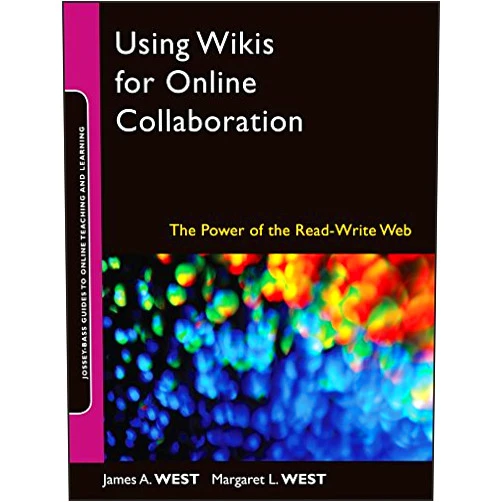
Using Wikis for Online Collaboration: The Power of the Read-Write Web, by James A. West and Margaret L. West, bursts onto the scene, illuminating the exciting world of collaborative online learning! Dive into this brilliant guide and discover the transformative potential of wikis. Learn how to craft dynamic, interactive spaces where students of all ages can build knowledge together. Experience the magic of the read-write web and witness how wikis ignite the flames of creativity and teamwork!
Interactive Wiki Creation: Craft user-friendly wikis with simple tools, enabling everyone to contribute and learn. This feature allows users to set up a wiki space, easy to use and intuitive, making the creation process a fun and accessible adventure.
Collaborative Editing and Content Creation: Share ideas, revise content, and build knowledge together, empowering every student. Group content and edit simultaneously, fostering a sense of community where students learn from each other.
Version Control and Revision History: Track changes with ease, preserving the collaborative journey, and enabling students to learn from their mistakes. Keeps track of every change so that you can see what has been added or edited and who did it so you can see the collaboration process.
Multimedia Integration: Infuse your wiki with images, videos, and other media elements, making learning vibrant and engaging. Add visual and audio content to enrich your lessons, captivate your audience, and boost their learning experience.
User-Friendly Interface: Navigate and engage with the wiki environment, creating a fun, interactive learning atmosphere. Make it easy for kids to interact with their learning material, fostering a dynamic and enjoyable experience.
Boost Teamwork Skills: Learn to value other people's contributions by working together. Create a fun atmosphere where kids can work together towards a common goal.
Foster Active Learning: Participate in building knowledge, transforming passive learners into active contributors. Watch your children evolve into active participants who take pride and ownership in their work.
Enhance Communication: Refine communication skills, learning how to articulate ideas clearly and persuasively. Children become confident in sharing and expressing their ideas.
Encourage Creativity: Explore their imaginations through writing, images, and other multimedia formats. Watch kids explore their own imagination and self-expression.
Develop Critical Thinking: Evaluate information, making them savvy digital explorers. Children become adept at separating useful information from misinformation.
User-Friendly Approach: Master the essentials without a tech degree; it's easy to use. The simple interface allows students to concentrate on learning content.
Focus on Collaboration: Promote teamwork and community building, making learning a shared adventure. Bring people together by encouraging collaborative learning.
Adaptability to all Ages: Customize wikis to the needs of kindergarten kids to adults, adaptable to a wide range of learning needs. This product is useful to different learning levels, and it can adapt to different needs.
Emphasis on the Read-Write Web: Embrace the interactive internet with this innovative concept, making learning interactive. This product creates a collaborative environment in the web and focuses on interactive learning.
Expert Authorship: Benefit from the deep experience of experts James A. West and Margaret L. West, offering reliable advice. The expertise will guide you to use this product in the best way possible.
Creating Classroom Wikis: Develop collaborative learning spaces where students share notes, projects, and resources. Collaborate on school projects, so you can learn together and improve your teamwork skills.
Building a Shared Story: Create a collaborative narrative that grows with each contribution, sparking imaginations. Use this to share and enhance story-writing activities with each other.
Developing a Student Knowledge Base: Create resources and guides, supporting students in understanding and learning the class subject. Use this as a study aid in all subjects that involve writing.
Project-Based Learning: Allow students to use wikis to research, organize, and present their project work, promoting critical thinking. Children can research together, enhancing their project quality with more knowledge.
Online Learning Communities: Connect students, fostering discussions, and sharing insights, creating a lively community for everyone. Connect with the students and participate in discussions to enhance the learning process.
"This book transformed my classroom. My students are more engaged, and their teamwork skills have blossomed." - Emily Chen, Teacher, China, 2022.
"Absolutely thrilled with the impact on my child's learning. They are more confident and collaborative!" - David Miller, Parent, United Kingdom, 2021.
"This is a fantastic guide. It helps my kids learn to create, build, and share ideas together. This is a game-changer!" - Maria Rodriguez, Teacher, Spain, 2023.
"My students are loving how interactive and fun the lessons became. It is a fantastic tool to have!" - John Williams, Teacher, Canada, 2023.
"I always struggled to get my kids to do homework. The learning skyrocketed using this product, and made it fun!" - Anika Sharma, Parent, India, 2023.
Is it difficult to learn how to create wikis? Absolutely not! The guide provides clear, easy-to-understand instructions, making it simple for anyone to start.
What are the age groups that can benefit from using wikis? Wikis can be tailored for all ages! Whether it's a kindergarten class or university students.
Does this book cover all the features of wikis? It doesn’t cover all features, but it has all the core elements to get started, with many creative ideas.
How can I make my wiki engaging for children? Incorporate bright colors, images, videos, interactive elements, and encourage collaboration.
What if I'm not a tech expert? No problem at all! The guide is designed for everyone, with no need for technical expertise.
Transform your learning landscape today with Wiki Wizards Unite! Discover the power of collaboration and embark on an exciting journey with Using Wikis for Online Collaboration: The Power of the Read-Write Web to revolutionize the way you learn, create, and connect!
(Beta: User Generated 2024.0007)