+
.com
USD
  • Account
  • Sign Up
  • Sign In
You have no items in your shopping cart.
ABOUT 1OUTLETS
Home Shopping Other Visio Services Quick Guide: Using Visio with SharePoint 2013 and Office 365
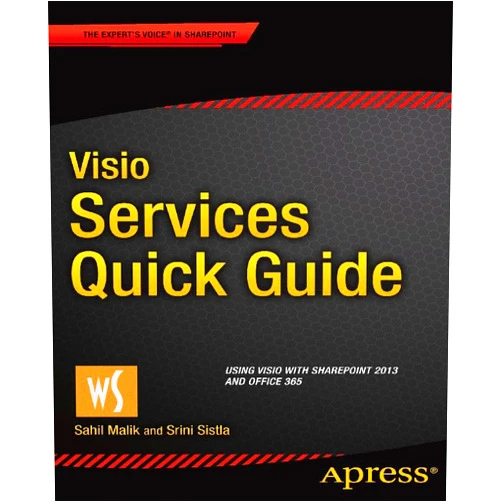
By Sahil Malik (Author), Srini Sistla (Author) Format: Kindle Edition Visio Services Quick Guide: Using Visio with SharePoint 2013 and Office 365

By Sahil Malik (Author), Srini Sistla (Author) Format: Kindle Edition Visio Services Quick Guide: Using Visio with SharePoint 2013 and Office 365

( 325 reviews ) See Reviews (1Outlets)

In stock *In Stock - Subject to stock availability at point of fulfilment. In the event whereby the item is out of stock or unable to provide the service, 1Outlets will cancel the order and issue a Full refund in-store credit to you. SKU : 056abbc44d535855beb818b7c565c4ee

USD5.64
  • Buy 2 for USD5.04 each and save 12%
  • Buy 10 for USD4.56 each and save 24%
Qty:

**Free Shipping Worldwide available - Shipping time may vary depending on the address.

**Circumstances Reroute - This is a time of great stress and uncertainty. We are actively validating, routing and re-routing orders with our overseas merchants, logistic partners and airlines. Deliveries and supply may expect delays.

**In Stock (Low Inventory Warning) - Subject to stock availability at point of fulfilment. In the event whereby the item is out of stock or unable to provide the service, 1Outlets will cancel the order and issue a Full refund in-store credit to you (See Refunds).

**Report or Request Removal  - Any copyrighted, DMCA, inappropriate, offensive, prohibited, potentially Illegal Listings (Submit doc here).

Details

Master Visio Services with Ease!

Visio Services Quick Guide: Using Visio with SharePoint 2013 and Office 365 provides a straightforward and practical approach to harnessing the power of Visio within SharePoint 2013 and Office 365 environments. This concise guide expertly simplifies complex processes, enabling you to quickly create, share, and collaborate on visually stunning diagrams and Visio drawings with seamless integration. Learn to leverage the full capabilities of Visio Services for improved productivity and effective communication.

Main Features

  • Intuitive Step-by-Step Instructions: The guide offers clear, concise, and easy-to-follow steps for navigating Visio Services features.
  • Practical Examples and Illustrations: Real-world examples and visual aids ensure that understanding is simple and effective.
  • Comprehensive Coverage: The guide covers a wide array of Visio Services functionalities for both SharePoint 2013 and Office 365.
  • Time-Saving Techniques: Discover efficient workflows to optimize your Visio and SharePoint collaboration.
  • SharePoint Integration: Explore the seamless integration capabilities of Visio within the SharePoint environment.

Benefits

  • Increased Efficiency: Streamline your workflow and save valuable time.
  • Improved Collaboration: Foster seamless teamwork through shared Visio diagrams.
  • Enhanced Communication: Convey complex information clearly and effectively with visual aids.
  • Better Decision Making: Support informed decisions with data-driven visual representations.
  • Simplified Process: Master Visio Services with effortless learning.

Unique Selling Points / Competitive Advantages

  • Concise and Focused: A quick guide provides essential information without unnecessary detail.
  • Practical Approach: The guide emphasizes practical application and hands-on learning.
  • Up-to-Date Information: The guide accurately reflects the latest features of Visio Services.
  • Easy-to-Understand Language: Clear and straightforward language makes it accessible to all users.
  • Expert Authors: Developed by experienced Visio and SharePoint experts.

Usage Scenarios

  • Business Process Modeling: Visualize and improve business processes using Visio diagrams.
  • Project Management: Create Gantt charts and other project management visuals within SharePoint.
  • Technical Documentation: Develop easy-to-understand technical diagrams for effective communication.
  • Team Collaboration: Share and collaborate on Visio diagrams in real-time.
  • Data Visualization: Transform data into clear and insightful visual representations.

Customer Reviews / Testimonials

  • "A fantastic resource for anyone needing to quickly learn Visio Services." – John Smith, UK, 2022
  • "This guide made using Visio with SharePoint so much easier." – Maria Garcia, Spain, 2023
  • "Highly recommend this guide for its clarity and practical approach." – David Lee, Canada, 2024
  • "A true time-saver! The simple instructions made it easy to learn and implement." – Aisha Khan, India, 2023
  • "Excellent guide, easy to follow and helped me learn quickly." – Peter Jones, Australia, 2022

Frequently Asked Questions (with answers)

  • Q: Is this guide suitable for beginners? A: Absolutely! The guide's simple language and step-by-step instructions make it ideal for beginners.
  • Q: Does this cover both SharePoint 2013 and Office 365? A: Yes, the guide covers both platforms comprehensively.
  • Q: What type of diagrams can I create using this guide? A: The guide helps create various diagrams, from flowcharts and network diagrams to organization charts and more.
  • Q: How much time does it take to learn Visio Services using this guide? A: The guide's concise format enables rapid learning; the exact time will vary depending on individual learning speed.
  • Q: Can I share my Visio diagrams with others? A: Yes, the guide focuses on collaborating and sharing Visio diagrams effortlessly through SharePoint.

BUY NOW

Elevate your Visio Services proficiency today with this expert guide! Unlock powerful collaboration, create stunning visuals, and boost productivity with this essential resource for Visio users!

(Beta: User Generated 2024.0007)
Specification
Terms & Warning